ASPEN MOBILE APP

OVERVIEW
Located on Main St. in Breckenridge, Colorado, Aspen is a soups and chili restaurant. It's perfect for a cold day on the slopes. The app streamlines the ordering process for skiers and resort visitors, allowing them to browse the menu, place orders ahead of time, and view real-time wait statuses. The app prioritizes simplicity and accessibility for those who are ready to eat a warm meal after hitting the slopes.
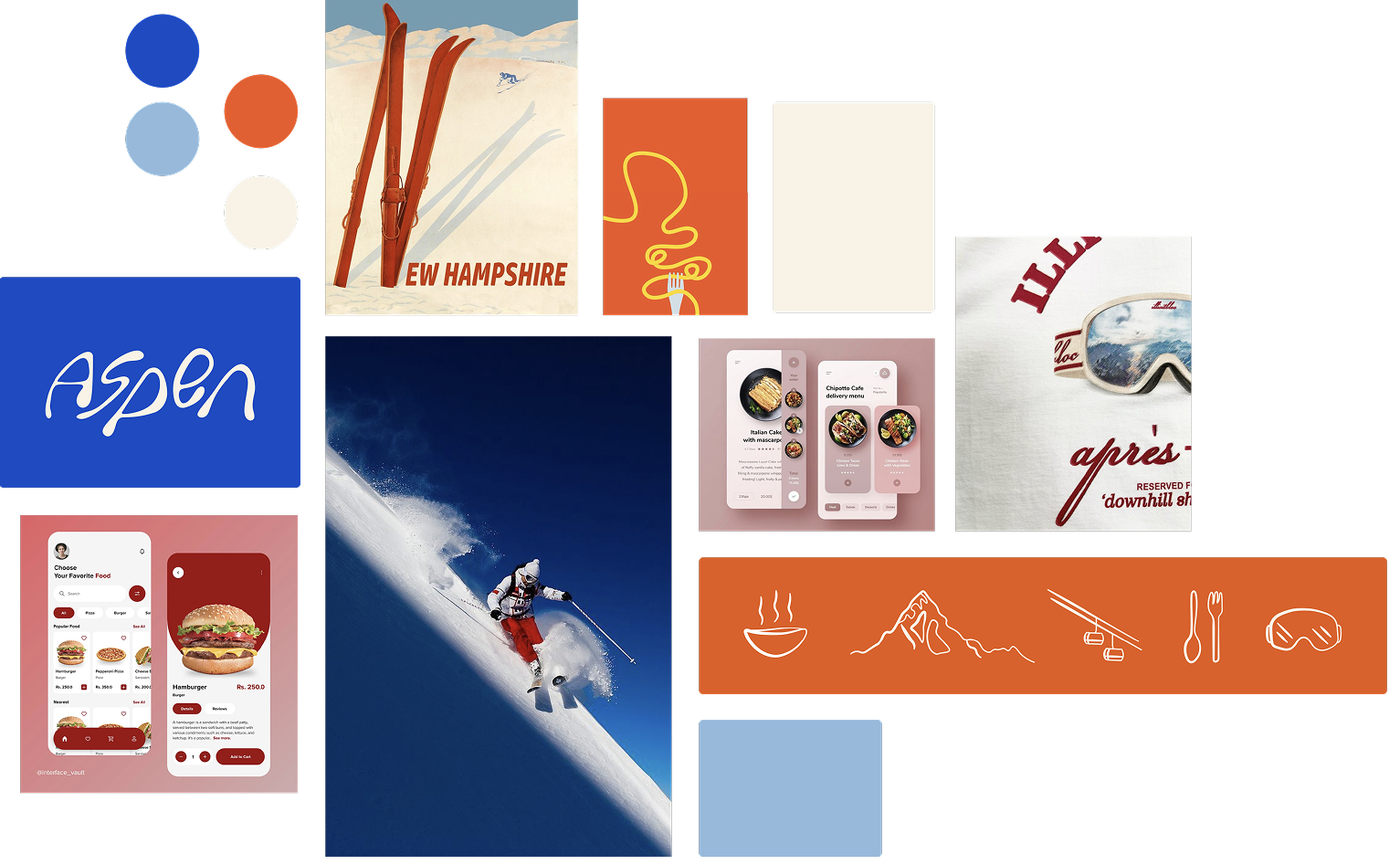
Mood board & inspiration
The terracotta color reflects the warm feeling of the foods served at Aspen while the blues represent the cold atmosphere in Colorado during the winter. The goal of the UI was to reflect its brand identity.
PERSONAS
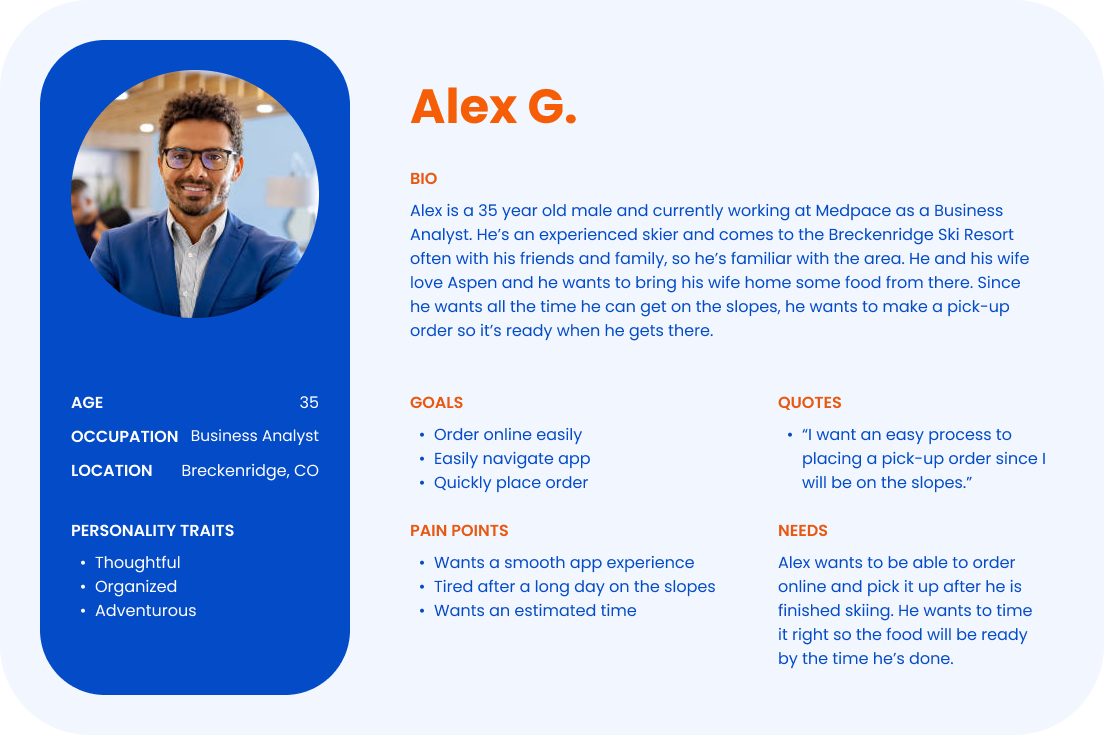
Meet Alex, a corporate business analyst and experienced skier who knows the Breckenridge area well. He's looking for a smooth pick up order experience since it's challenging to estimate timing during ski trips.
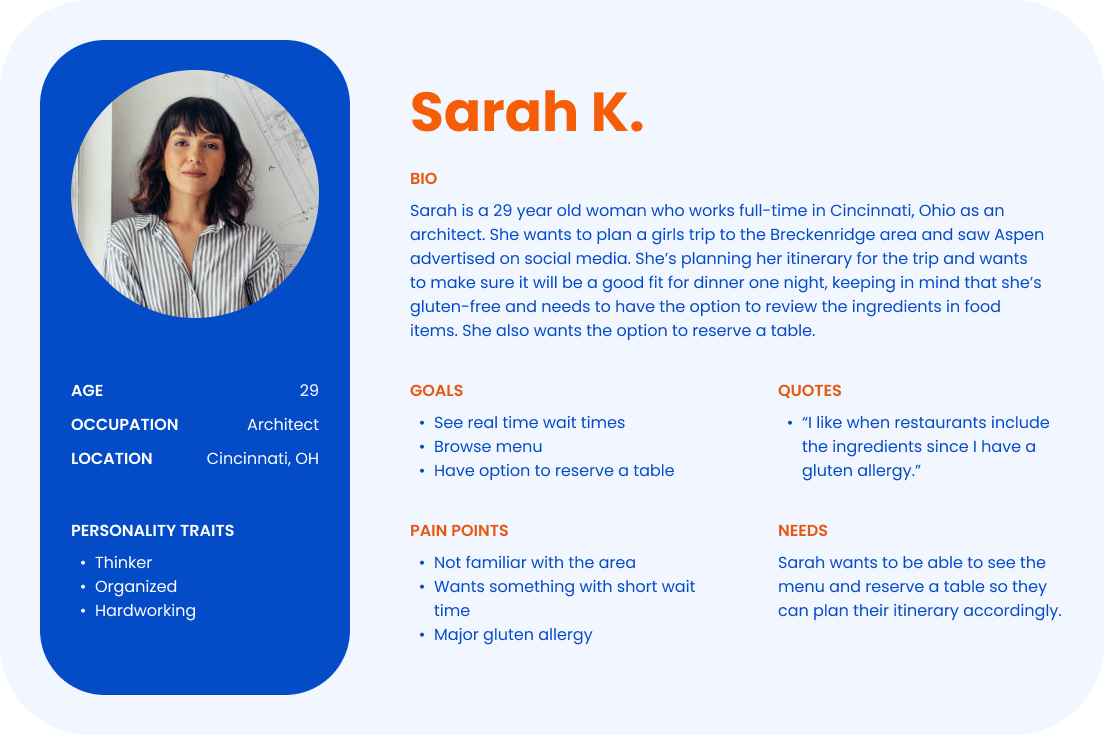
Meet Sarah, who isn't familiar with the area, and is planning an itinerary for her girls' trip. She's gluten-free and is looking for a way to view the menu ahead of time before making a reservation to make sure there are gluten-free options.
TASK FLOWS & IA PATTERN
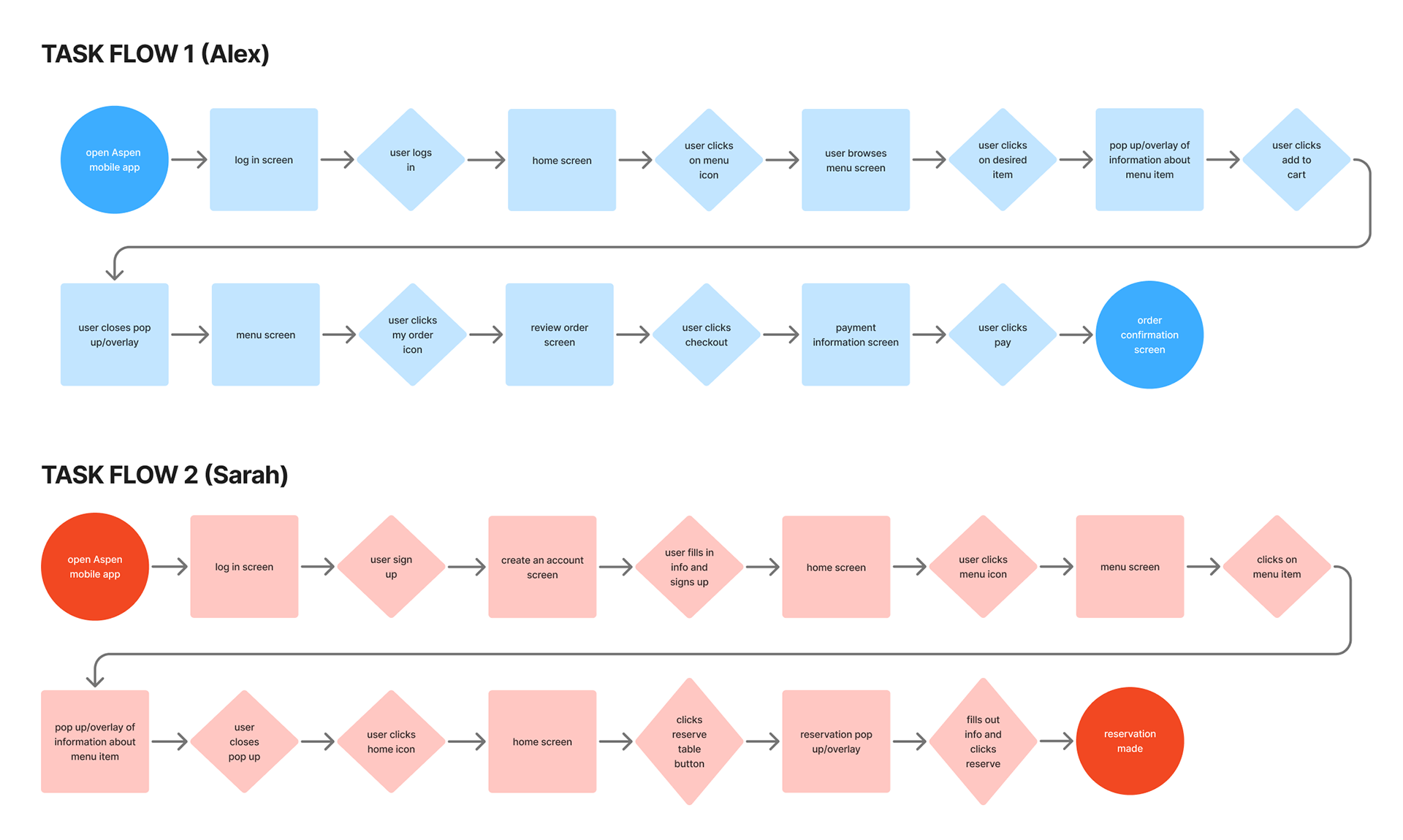
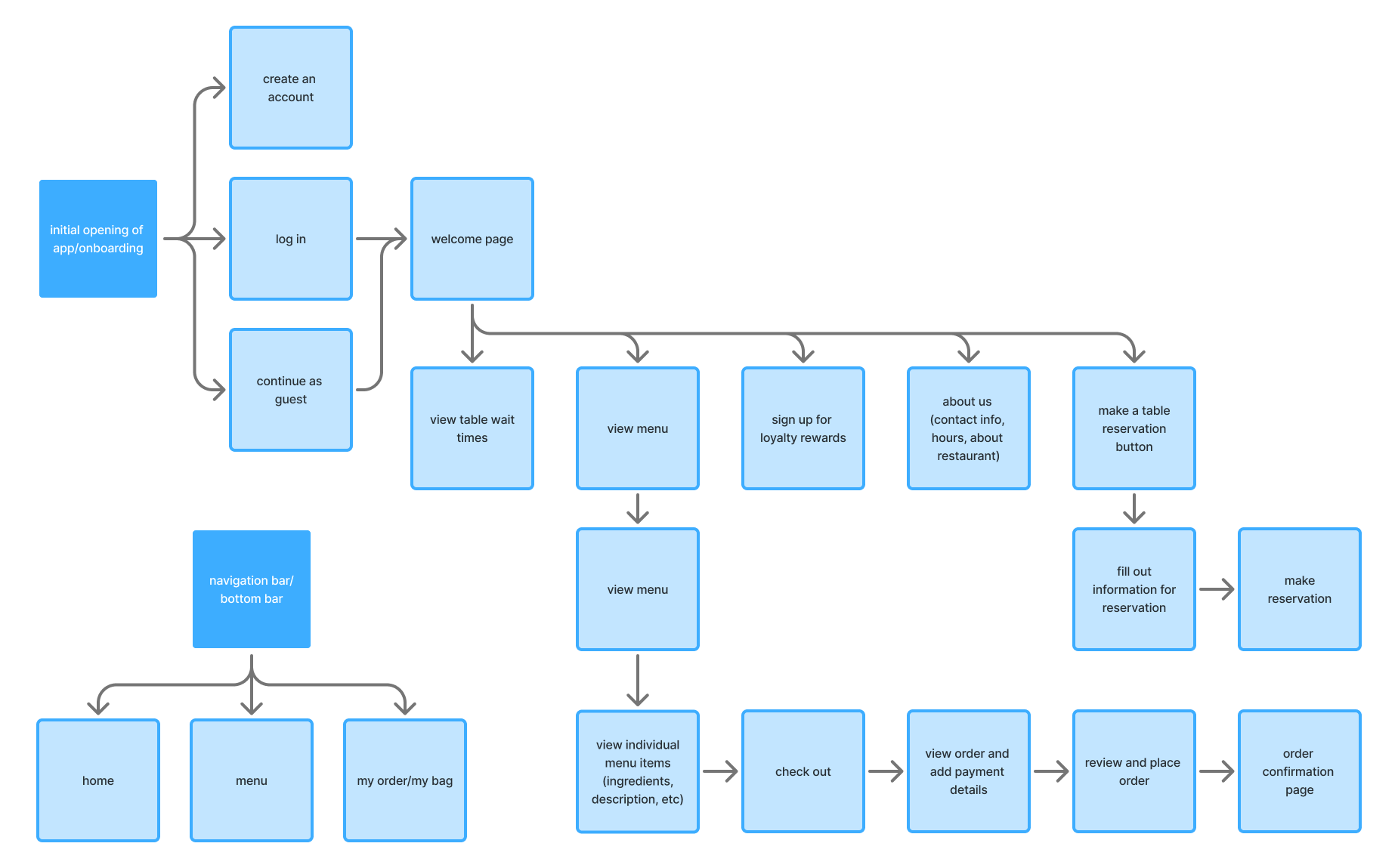
Alex's task flow illustrates the process of logging into the app and placing a pick-up order. Sarah's task flow represents a user who signs up on the app, views the menu, and makes a table reservation.
The IA pattern represented throughout the app are nested doll and hub and spoke (navigation bar).
LO/MID-FI WIREFRAMES
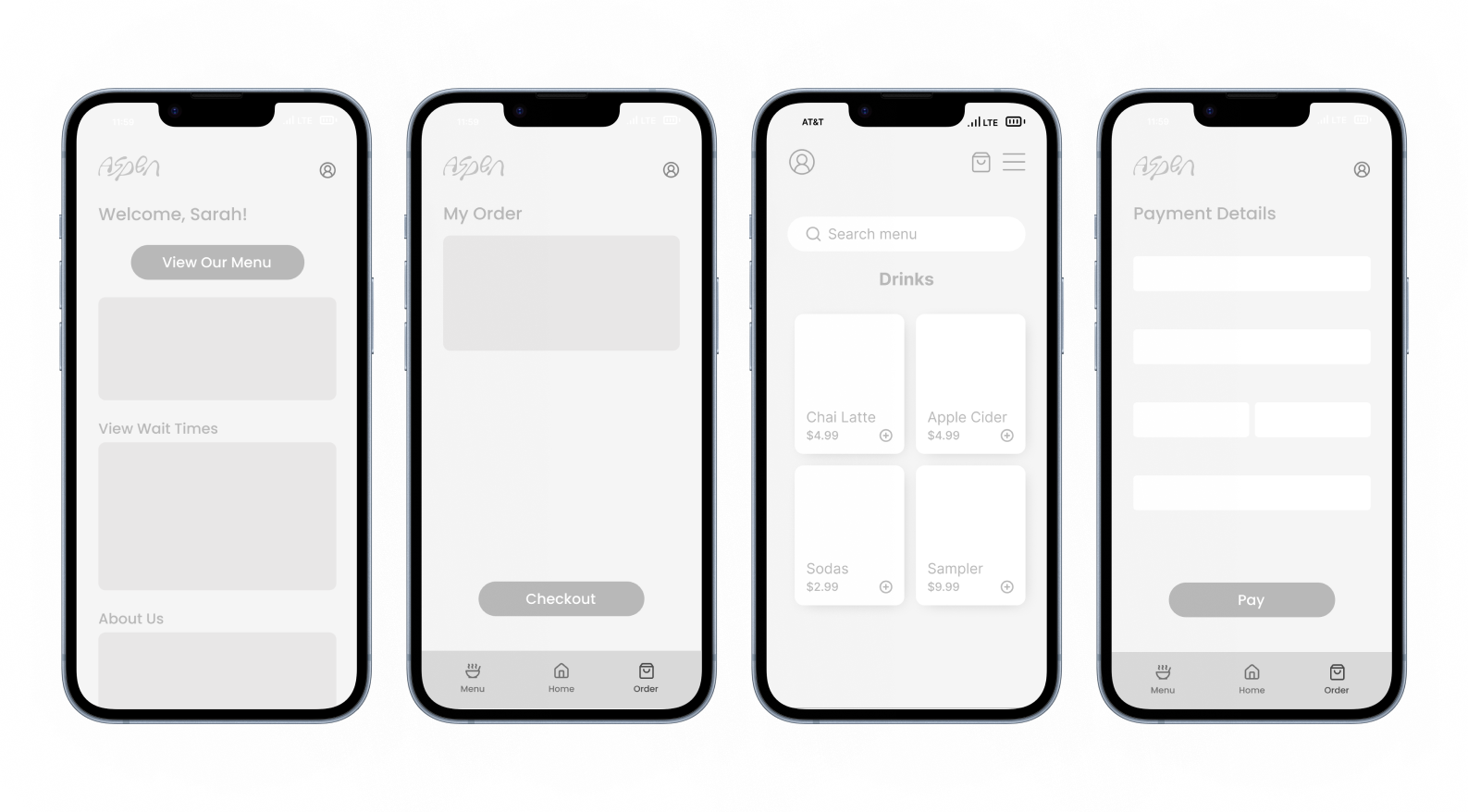
Below are some of the early iterations from the beginning of the design process. To establish the overall layout, I started by placing simple shapes and buttons. Once I was satisfied with the structure, I continued ideating by incorporating text and more details. I kept everything in greyscale at this stage to focus on layout and hierarchy without the distraction of color.
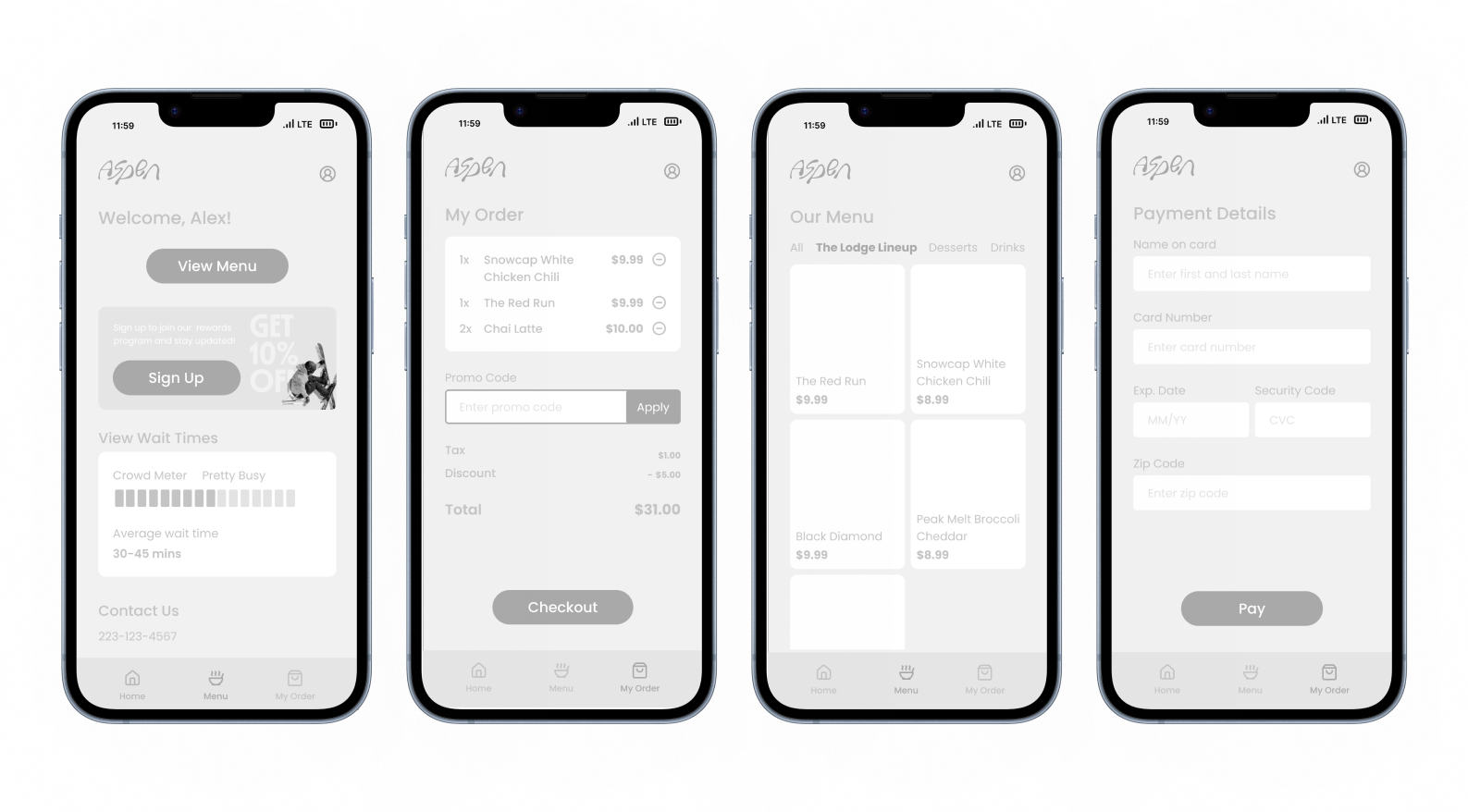
Revised Iterations
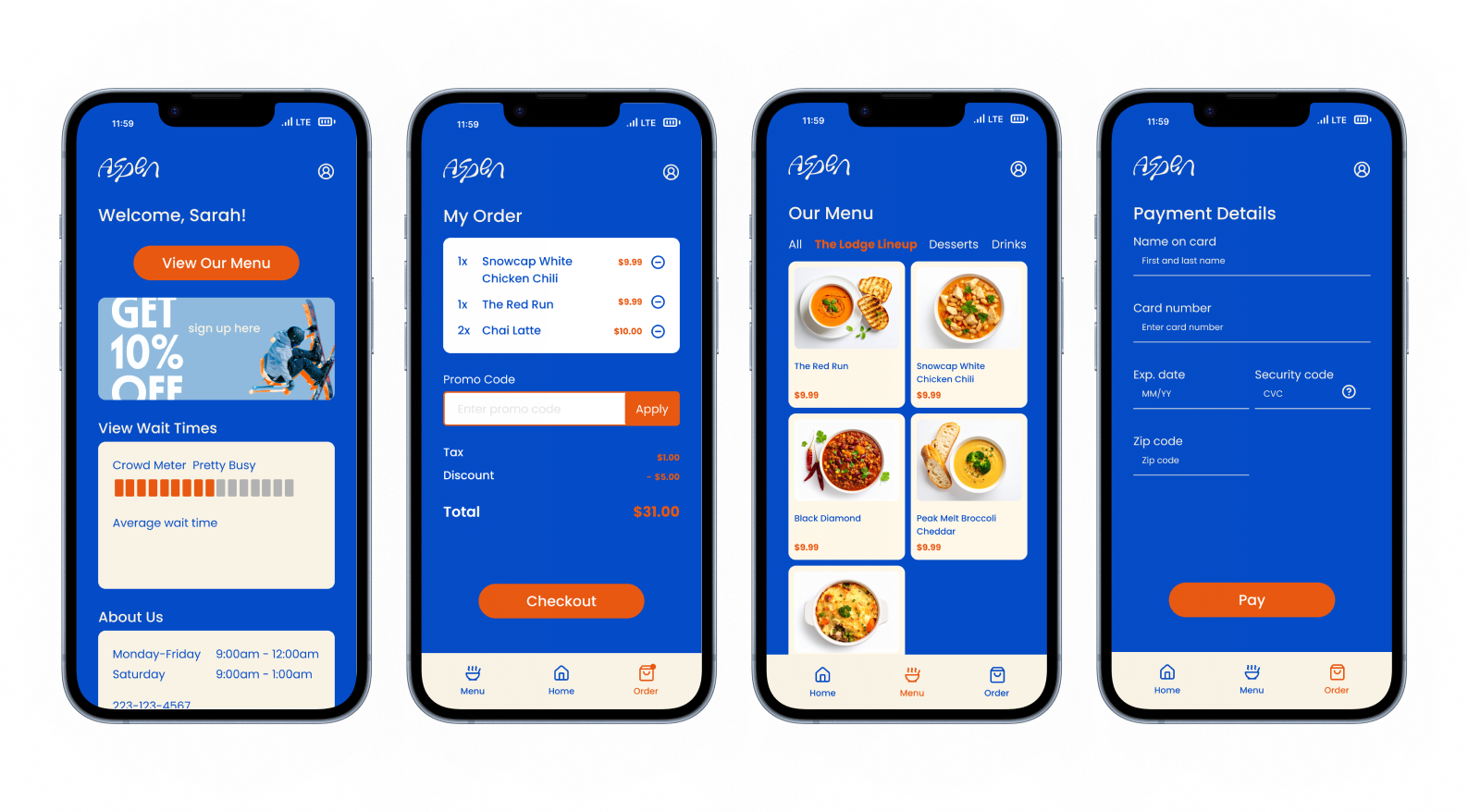
During the revision process, color was added in to incorporate the brand's identity. Originally, the dark blue was the background and red as the call to action. During user feedback and testing, users recommended the background of the main screens should be more neutral.
DESIGN SYSTEM
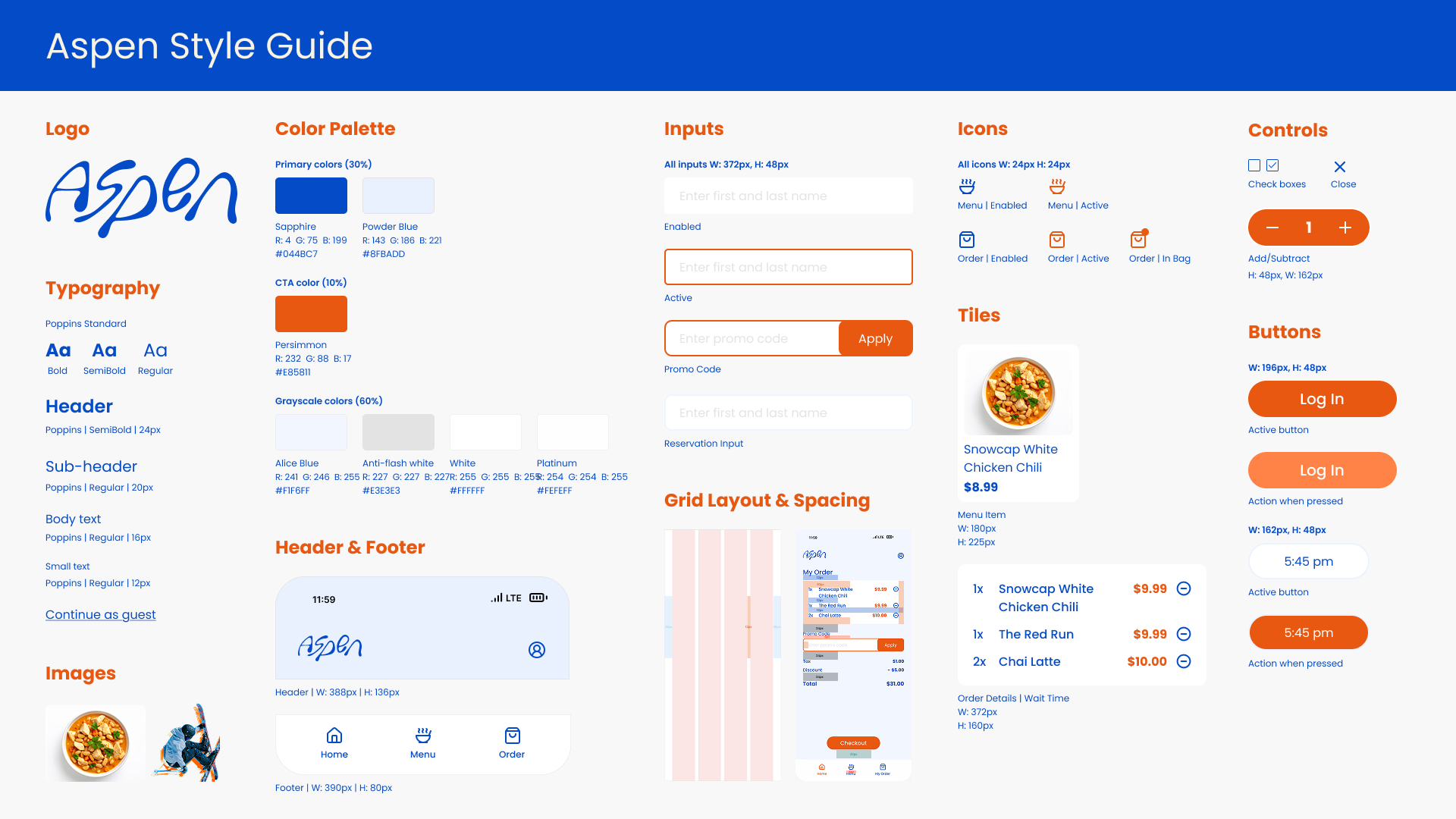
After much exploration, the final screens and style guide were developed. I refined the visual hierarchy to create a clearer, more intuitive flow, and updated the background to a light blue to give the interface a cleaner, more modern feel. These changes helped improve readability, reduce visual clutter, and tie the overall design together.
FINAL RESULT